


New article
Recently updated
Archiving and deleting users

Who is this article for?
Administrators who want to learn to add, move, copy and delete files.
Administrator permissions are required.
Archiving users is the recommended approach over deletion as user records are retained, though archived user records are hidden by default in most modules and accessible using filters.
Archiving users
Archiving a user automatically archives them from Ideagen EHS Core HR and all other modules, preventing them from logging into the system. Archive users immediately once they leave the organisation to avoid unsolicited logins.
To archive a user:
- Go to the User page.
- Use Filters as required to locate the relevant user.
- Click Actions to the far right.
- Click Archive.
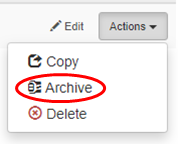
The user account is now accessible from the Archived page within Access.
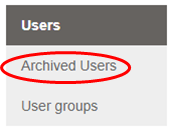
Note: If the user returns to the business, they can be unarchived and all their access permissions and existing records will be reinstated. Users can be unarchived from the Archived page following the same steps as above.
Deleting users
Important: Deleting a user cannot be undone. Users should only be deleted in the event of a mistaken or test account. Archiving users is the recommended approach to preserve future data and avoid issues.
Any records associated with the user will remain, however the individual's name will be removed in most cases. This means Competency training records with no learner name, InForm form records with no respondent name, Incident issues with no employee name, and so on.
To delete a user:
- Go to the User page.
- Use Filters as required to locate the relevant user.
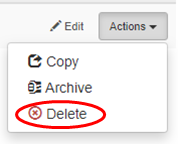
- Click Actions to the far right.
- Click Delete.
- Click Delete in the confirmation box.
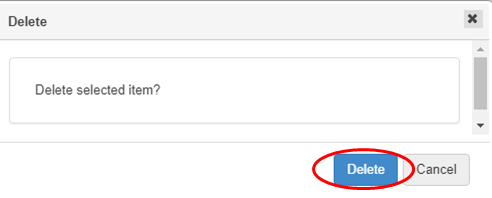
The user's account and all associated records are now deleted.