New article
Recently updated
Adding and editing access profiles

Who is this article for?
Administrators looking to add and edit access profiles.
Administrator permissions are required.
This article guides you through creating new access profiles and modifying existing ones to ensure proper user access across your organisation's systems.
Adding a new profile
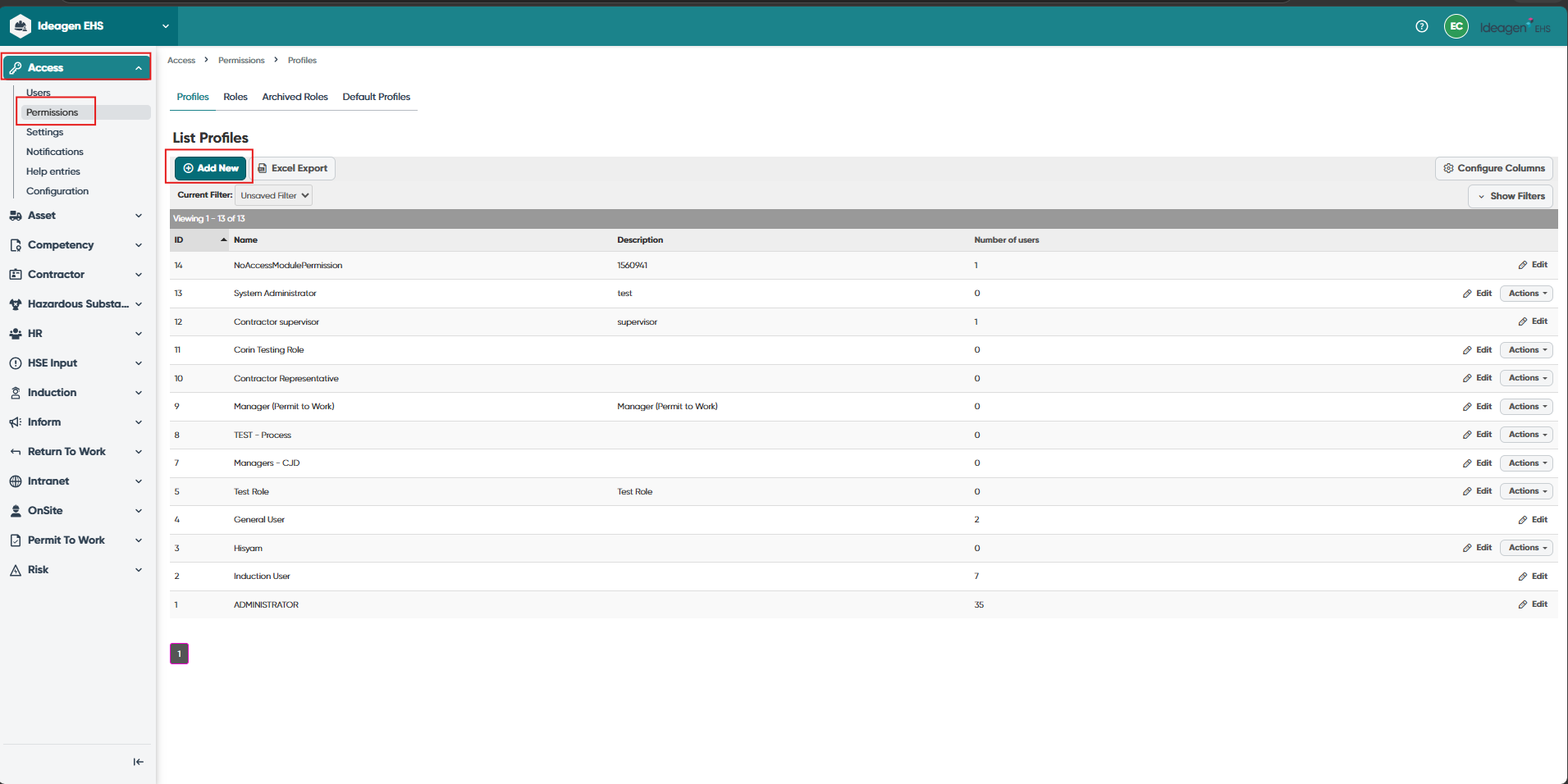
To add a new profile:
- From the Profile page, click Add New.
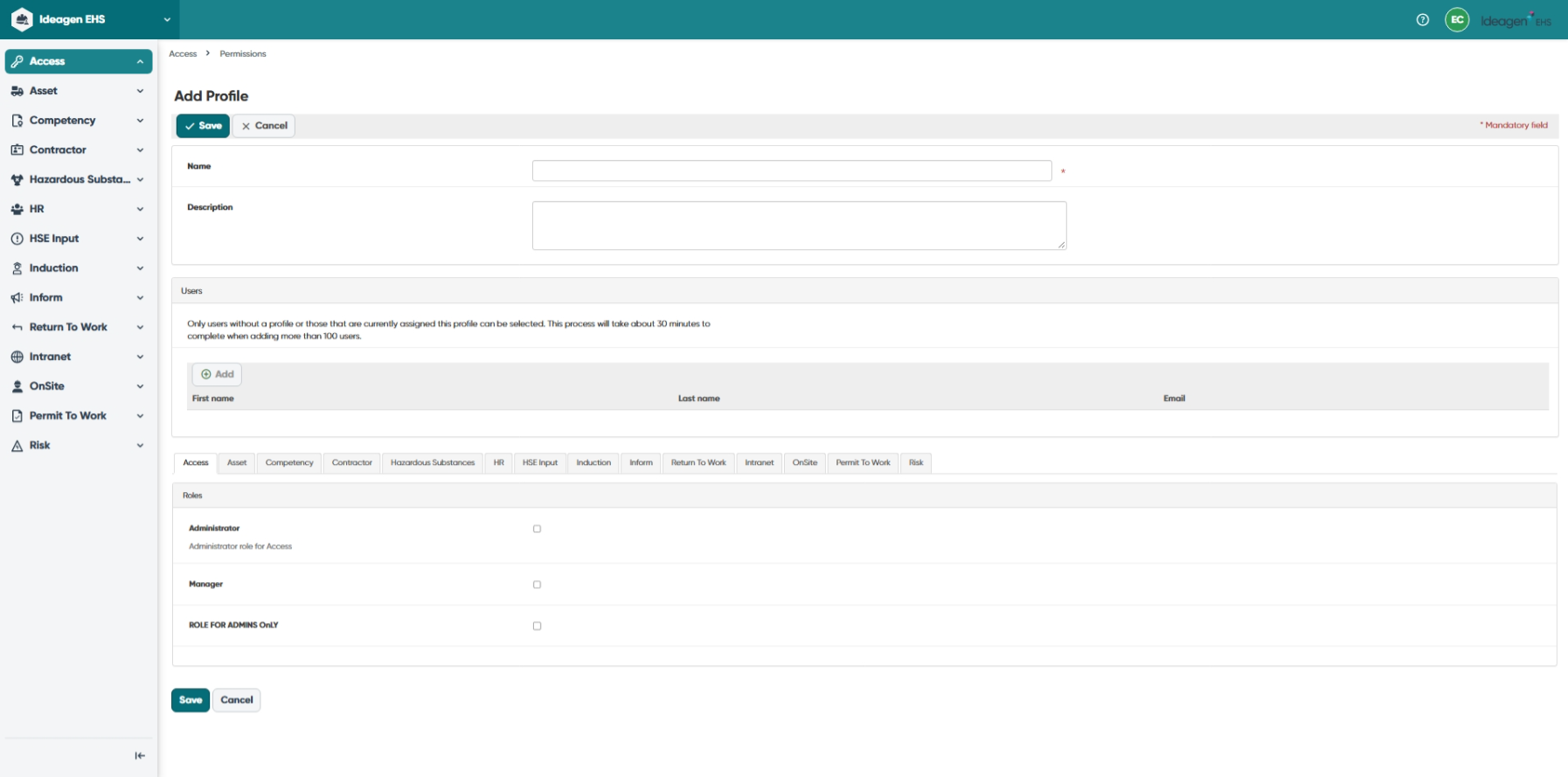
- Complete the required fields (see Understanding profile fields).
- Click Save.
Note: The details captured for each profile may vary slightly between each system configuration.
Fields marked with * are mandatory.
Understanding profile fields
Name
Enter the name of the profile.
Description
Enter a description.
Users
Select users to be assigned the profile:
- Click Add
- Use filters to locate relevant users
- Alternatively, click Select All to assign the profile to all users
- Click Done
Note: Users can also be assigned profiles via their user account from the User page.
Roles
Select the roles to be added to the profile for each Ideagen EHS Core module.
Editing an existing profile
To edit an existing profile:
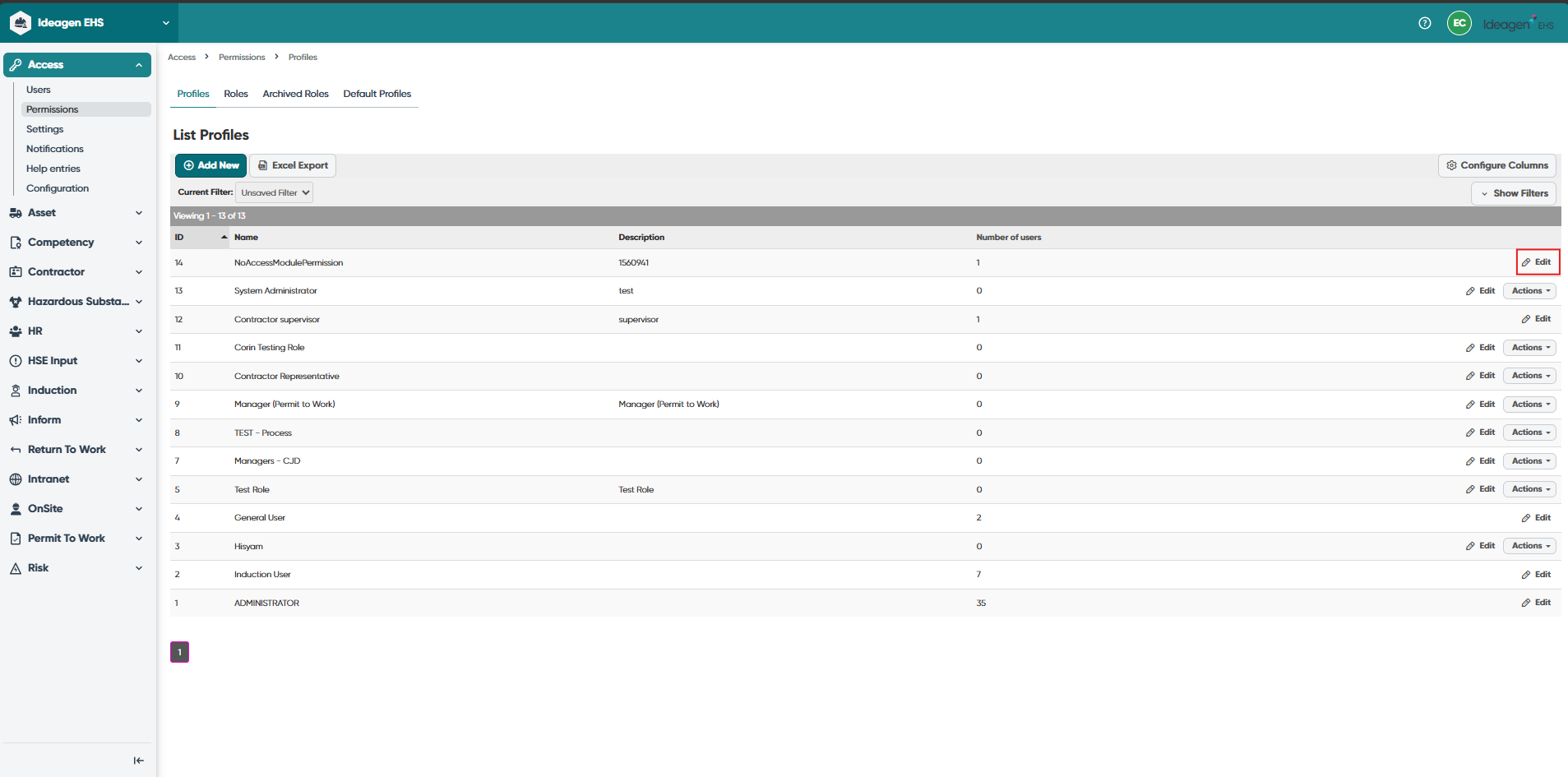
- From the Profiles page, locate the specific profile using relevant filters.
- Click Edit to the far right of the profile.
- Adjust fields as required.
- Click Save.
Setting up default profiles
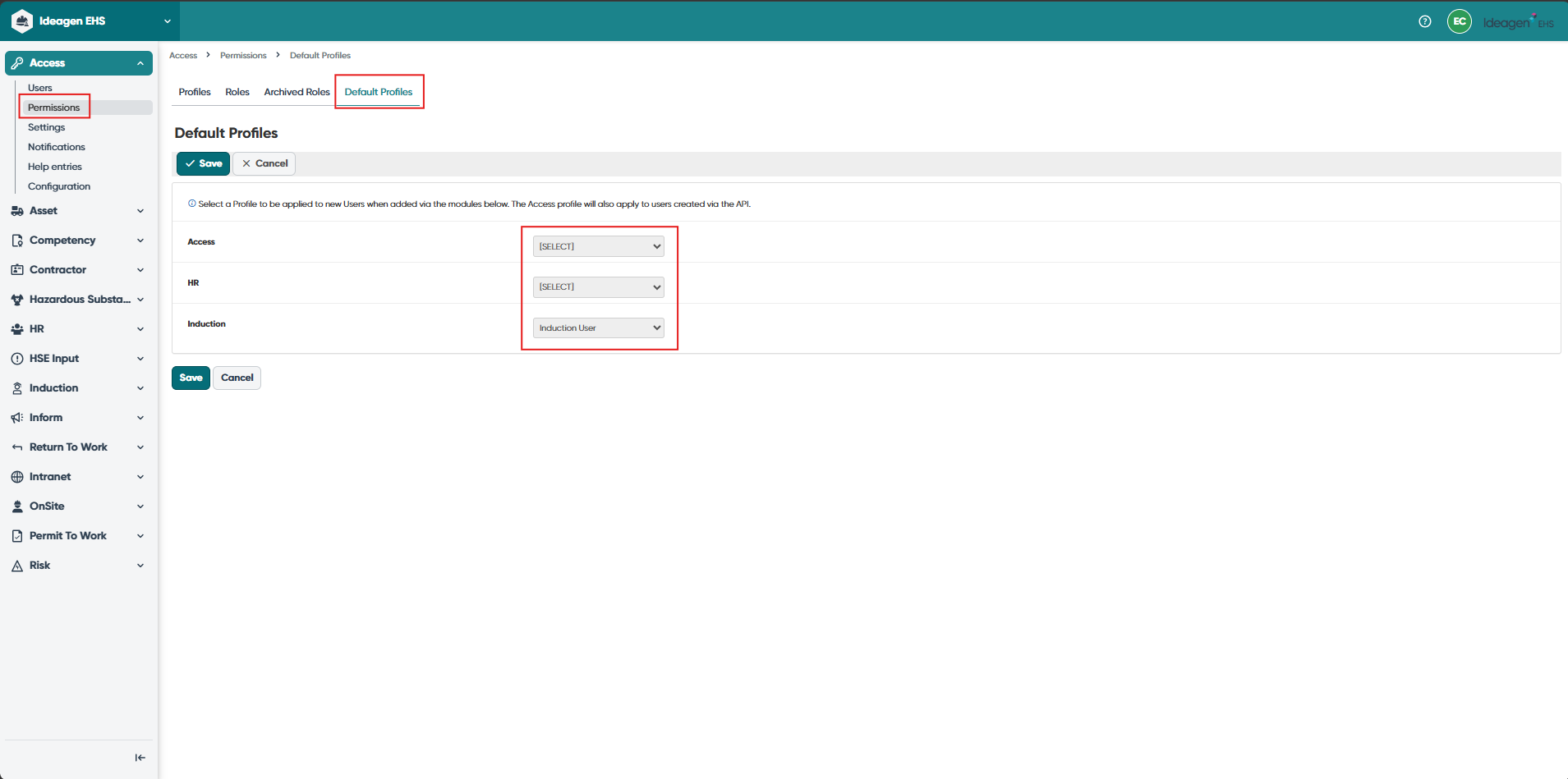
Default profiles can be created so all new users are automatically assigned a particular profile.
Important: This will apply to all user accounts in the system. It is recommended only General User profiles are used by default. Any user requiring additional access will need to have their profile manually updated.
Default profiles can be created for the different ways user profiles are added to the system. The following is recommended:
- Access - for all user accounts created directly within Ideagen EHS Core Access (including API), a general user profile is advised
- HR - for all user accounts created directly within Ideagen EHS Core HR, a general user profile is advised
- Induction - it is not typically advised to use any default profile for user accounts created within Ideagen EHS Core Induction. The self-registration process assigns the relevant permissions automatically. If a user requires additional access, it is recommended this is applied on a case-by-case basis. Once a self-registered user is converted or approved from Ideagen EHS Core Induction, their profile will be added to Ideagen EHS Core HR in which case the HR default profile will be assigned