


New article
Recently updated
Adding a new hazard

Who is this article for?
Administrators who want to learn how to add a hazard.
Administrator permissions are required.
This article explains how to add and manage hazards in the Incident module.
Adding a new hazard
To add a new hazard:
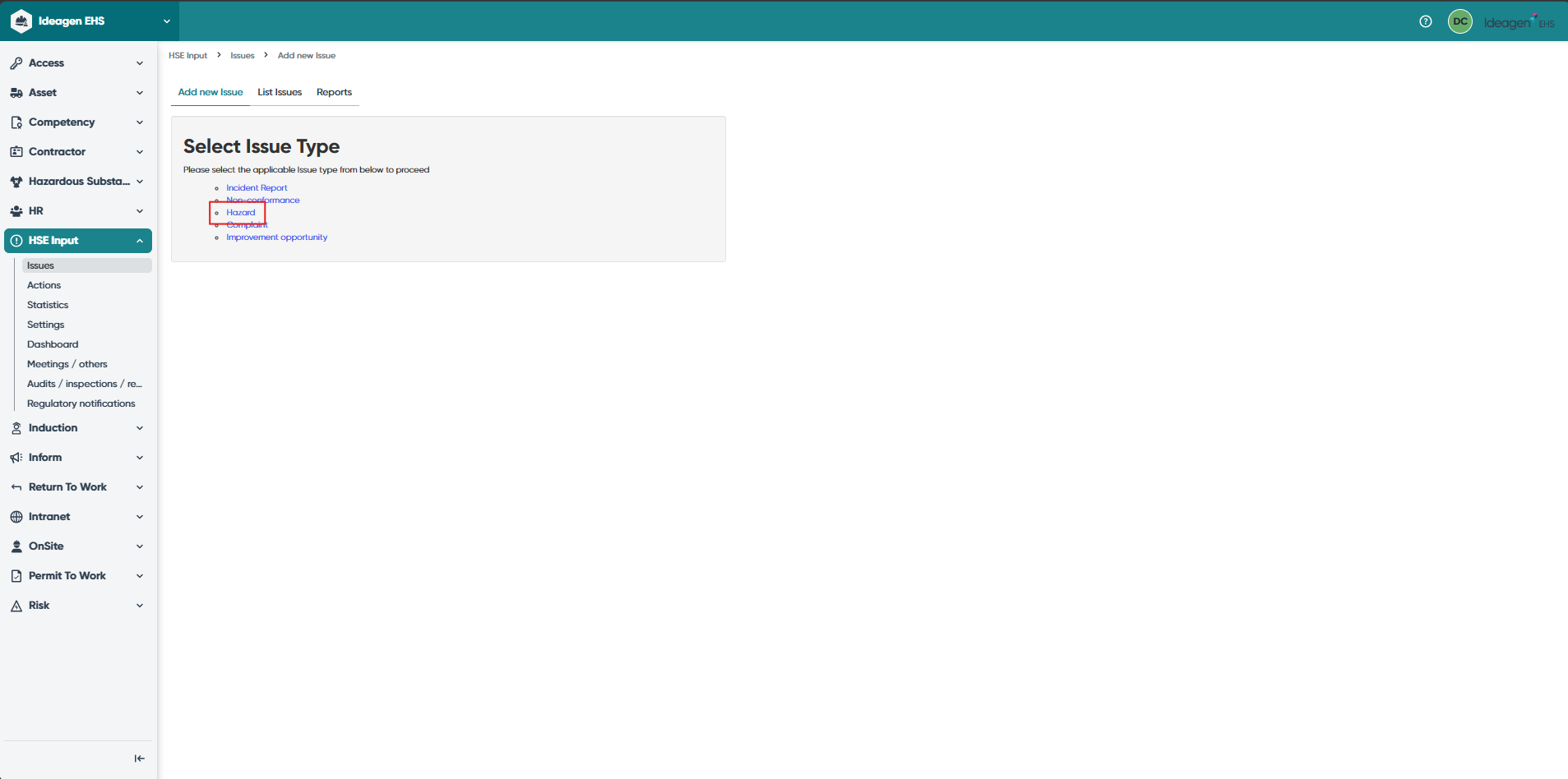
- Navigate to the Incident module to see a list of issue types.
- Select Hazard.
Filling in the hazard form
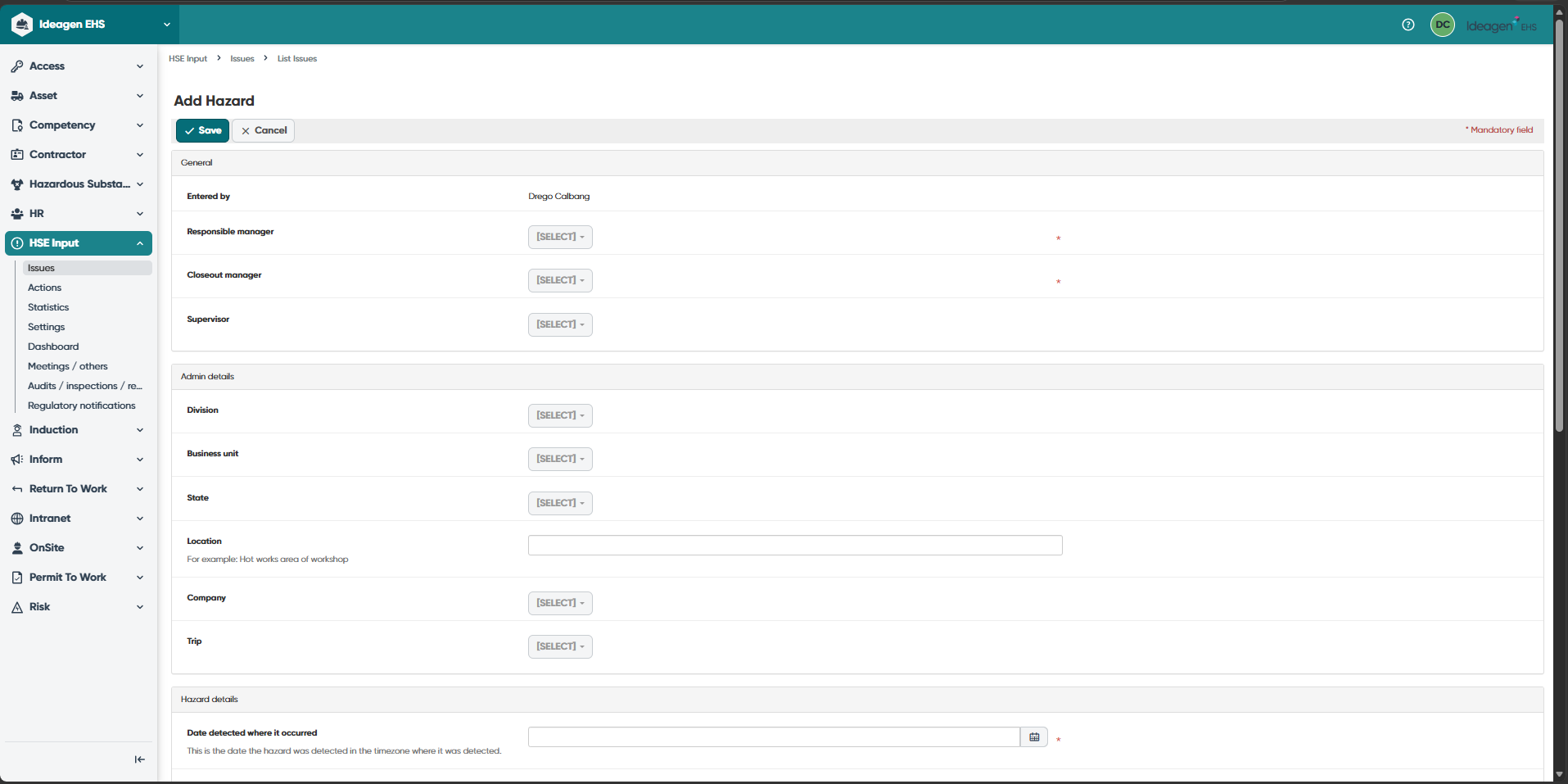
To complete the hazard form:
- Fill in the required fields shown in the form.
- Submit the form once ready.
Understanding hazard fields
The hazard form contains the following fields:
- Supervisor - Select the supervisor responsible for the hazard
- Is Improvement Opportunity - Select if the hazard provides an improvement opportunity
- Report Type - Select the report type (for example, Hazard or Other)
- Source of Hazard - Select the source of the hazard (for example, plant and equipment or physical environment)
- Identified Potential/Actual Hazard - Select all identified potential and actual hazards
- Details - Enter a full description of the hazard
- Immediate Action - Enter any immediate action that has been taken because of the hazard being identified