


New article
Recently updated
Adding a capability

Who is this article for?
Administrators who want to learn to add a capability.
Administrator permissions are required.
Adding a capability to your training management system is a crucial step in effectively tracking and managing your team's licenses, qualifications, and competencies.
Understanding capabilities
A capability is a license, course, qualification, training, or any other aspect of a user's training and competency for which records and needs are to be created.
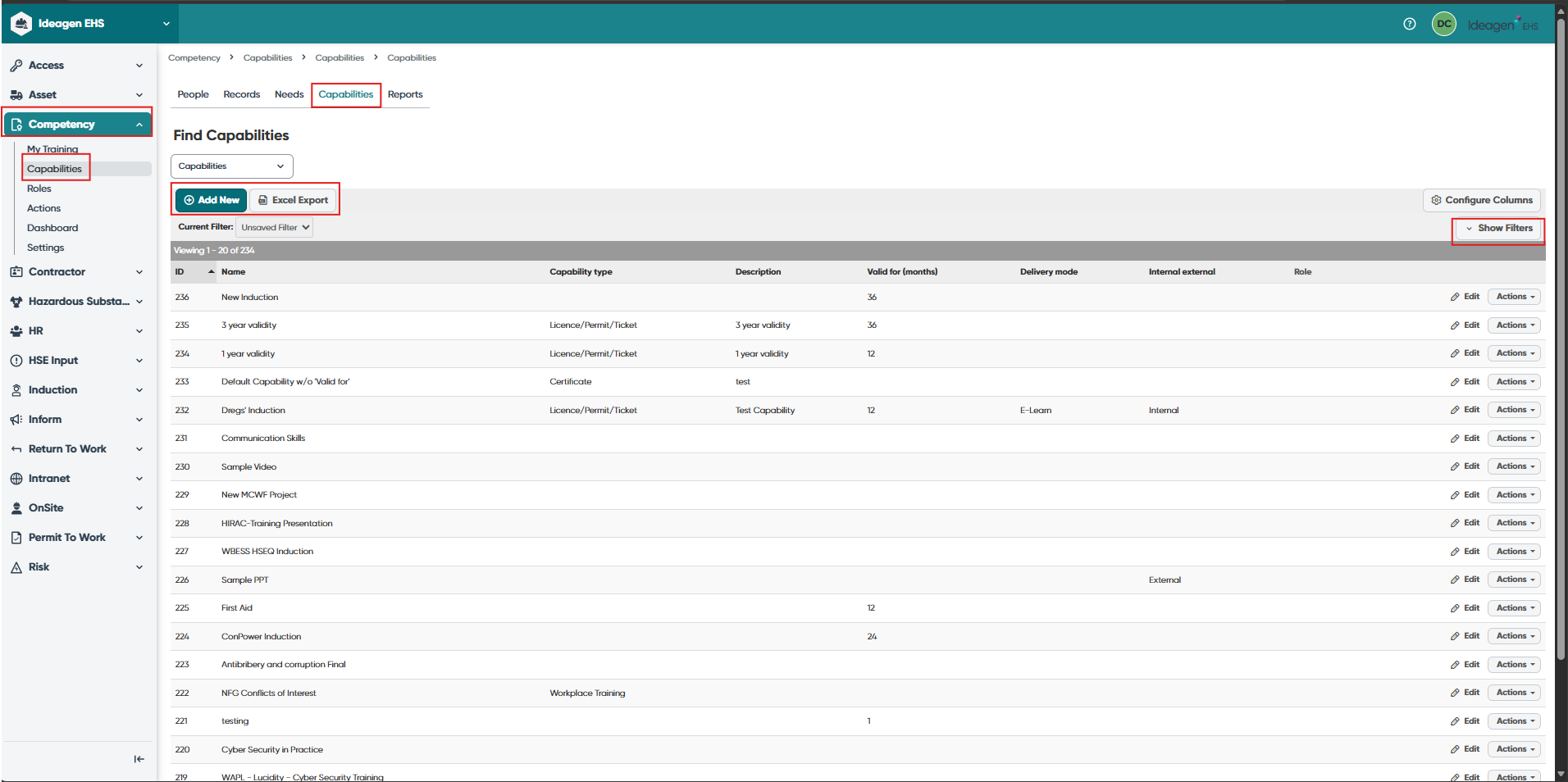
The Capabilities menu provides a list of the capabilities that have been set up within Ideagen EHS Core Competency.
In the Capabilities page, administrators can:
- Add, edit, copy and view current, generic and archived capabilities
- Edit linked courses
- Use a variety of filters in isolation or combined to select capabilities to view
- Export lists of capabilities to Excel in list format
Adding a new capability
To add a new capability:
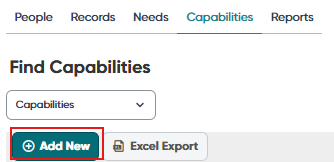
- Go to the Capability page.
- Click Add New.
- Complete the required fields.
Note: The details captured for each capability may vary slightly between each system configuration. Fields marked with * are mandatory.
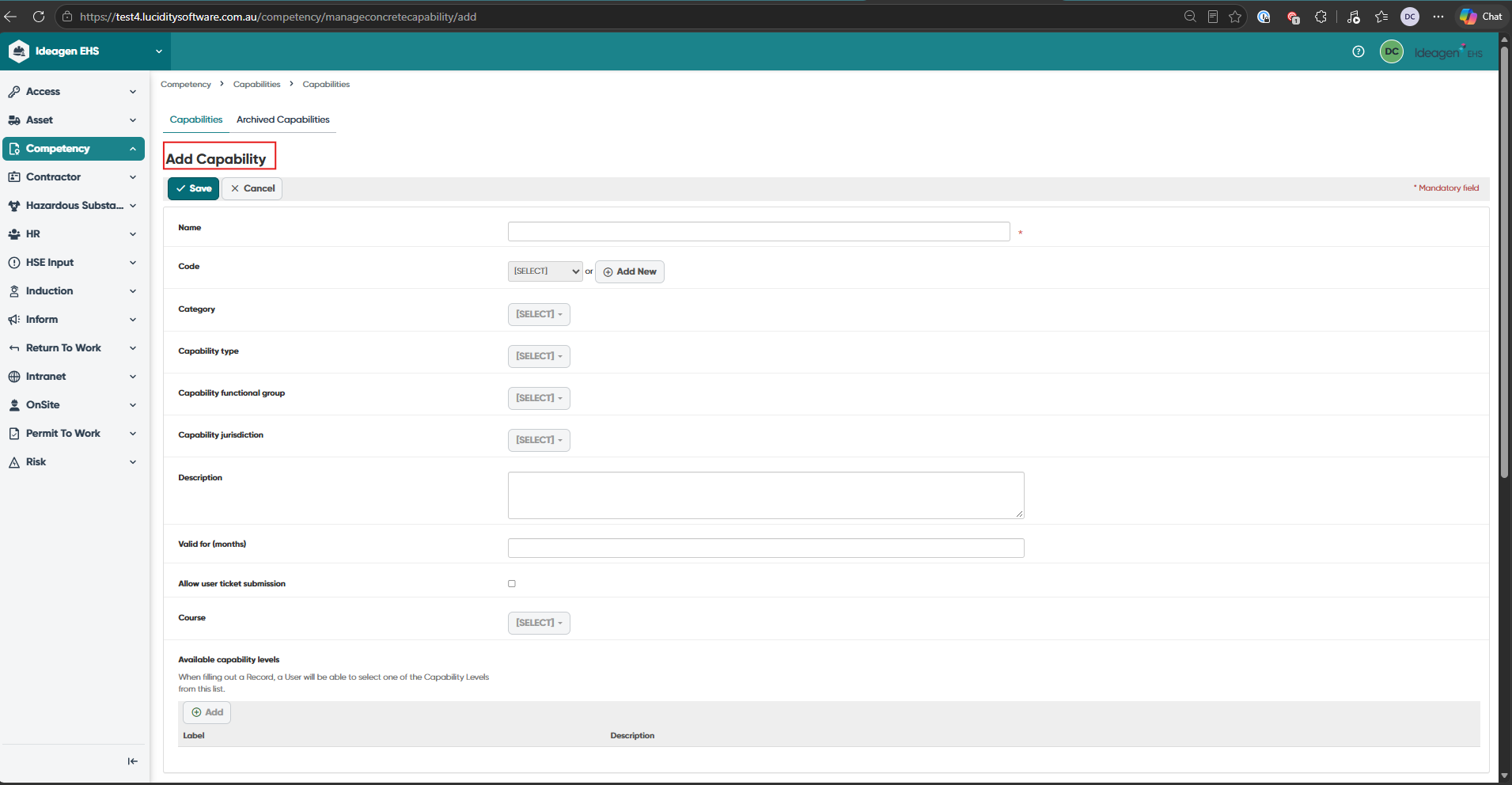
- Click Save to create the capability and return to the list.
Understanding capability fields
There are a range of filters that can be used to classify each capability. These can assist when filtering or sorting capabilities, records and needs and can be edited via the Settings tab.
Code: A system of symbols, letters, or words given certain arbitrary meanings (e.g. 'C' Class license represents 'Car' and 'LR' represents 'Light Rigid' in a vehicle license).
Category: Apply categories to a capability such as Induction, Leadership, Safety, Technology.
Capability Type: Whether the capability is a:
- Training
- Qualification
- Statement of Attainment
- Assessment
- License/Permit/Ticket
- Briefing/Awareness
- Seminar/Conference
Capability Functional Group: Depending on the requirements of the organisation, a capability can be classified by function, purpose, role, job or occupation.
Capability Jurisdiction: A capability can be limited to a state/industry/occupation. Example: GIQ Coal is a generic induction course for anyone working in Queensland in the coal mining industry.
Description: Provides more detailed information, an open text field.
Valid for (months): The Validity For (Months) field automatically determines the expiry date of a training record upon initial entry. This value is added to the specified issue date when the record is first saved. If either the "Validity For (Months)" or the issue date is blank, the expiry date will remain blank. The expiry date for individual training records can be manually edited at any time. Changes made to a capability's validity period will only affect new records created thereafter. Existing records will not be automatically updated. To adjust expiry dates for existing records, please use the Records page.
Allow user ticket submission: Allows users to submit their own tickets and qualifications for this capability.
Course: Links capabilities with eLearning in Ideagen EHS Core Induction and allows end users to complete eLearning in Competency.
Training Hours: Number of training hours/duration for the capability.
Training Costs: The training cost per user for the capability.
Delivery Mode: Is the capability delivered:
- In a Classroom
- Facilitator-Led
- Face-to-Face
- Online/eLearn
- Self-paced
- On-the-Job
Internal/External:
- Internal: Company-run and company-owned training courses/programmes. These can be delivered in-house or at an external venue
- External: External training courses/programmes provided and owned by an external training provider. These can be delivered on-site or at an external venue
Trainer/Provider: Name of the trainer or the training provider/registered training organisation (RTO).
Archived Flag: Capability to be archived/stored away as it is no longer relevant or used. Historical records under this capability will still be available for viewing, however this capability will not be available for new records to be entered against it.
Following naming conventions
When adding new capabilities to the library, consider the following naming guidelines:
Reporting order: Capabilities appear alphabetically in reports. Example: High Risk Licence Crane and High Risk Licence Forklift group all high-risk licenses together. Alternatively: Forklift VOC and Forklift High Risk Licence group all forklift qualifications together.
Search-friendly terms: Include common search terms in parentheses. Example: Work Safely in the Construction Industry (White Card).
Consistency: Develop and follow consistent naming rules. Check spelling and grammar. Place abbreviations in parentheses.
Generic titles: Avoid including unit of competency codes in capability titles. Example: Use a single "Apply First Aid" capability for all variations (HLTFA301B, HLTFA301C, etc). Record specific unit of competency details in individual user records.
Industry standards: Align with best practices and industry standards. The Capability Naming Conventions document provides an example of naming convention rules to consider.
Using auto-population of fields
Some fields when populated in the capability page will automatically populate the corresponding field in the edit records screen. Therefore, when creating a new capability, only populate these fields if the information will always be the same for all records entered against the capability (although these can be manually overridden when entering the record).